Tools to Start, Run, and Grow
Your Business
Whether you're just starting out or scaling a small team, WrkOrdr is built to grow with you. Designed for solo operators and small teams — tools that keep up, not get in the way.
Your data belongs to you. We never sell it. Export anytime.
Backed by Google for Startups Cloud Program · Reviews on G2Built for Your Industry
One app. Six layouts. 100+ professions. Each layout is tuned to the workflows, terminology, and tools your industry actually uses.
Built for the way you actually work
No bloated features you'll never use. Just the tools a working service professional needs to stay organized and get paid.
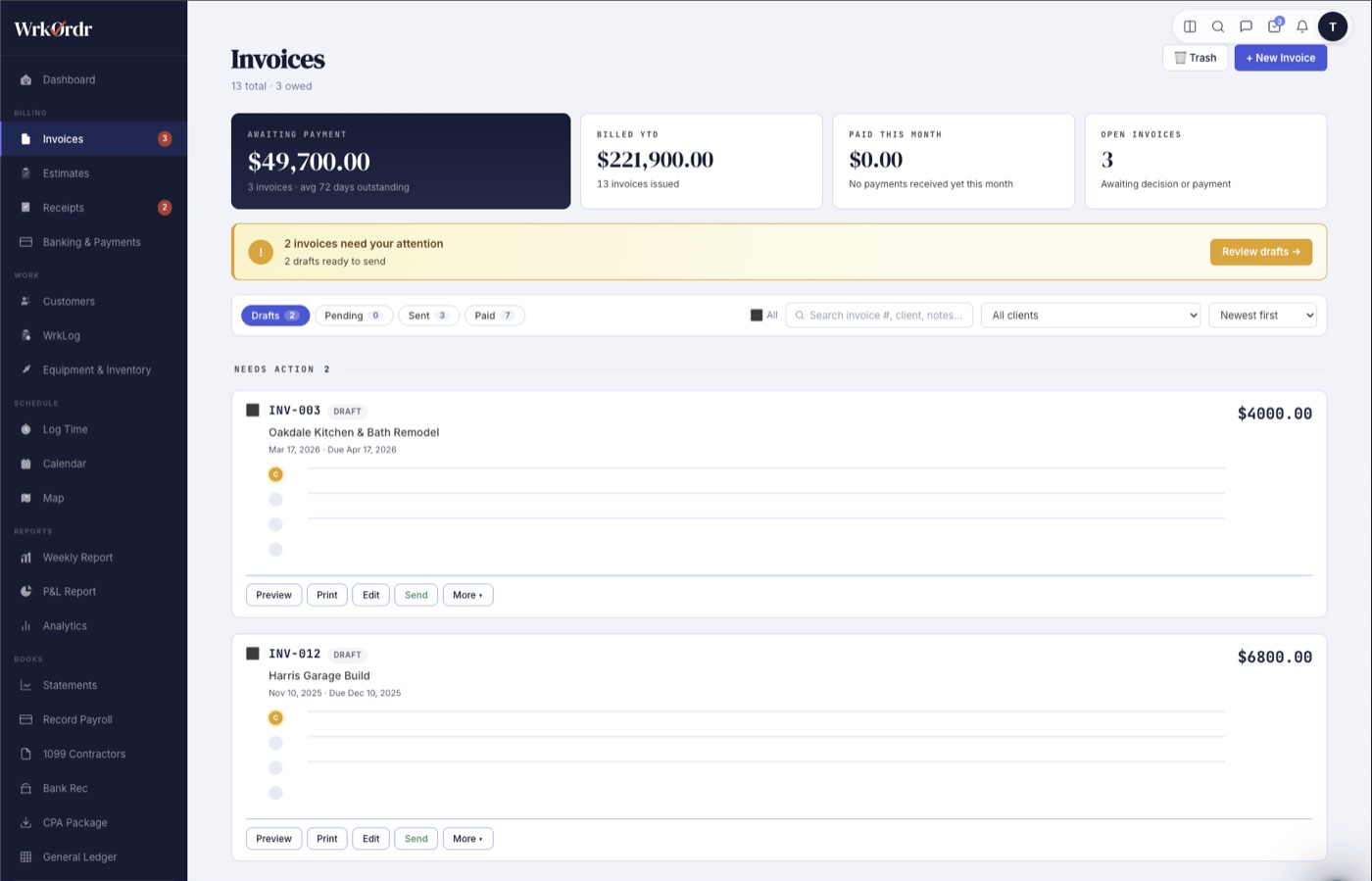
From logged work to paid invoice in seconds
Select time entries or work logs, tap Generate Invoice, and WrkOrdr combines hours per person, auto-fills the job description from your work notes, and handles equipment billing at machine rates. Track every invoice from Draft through Paid.
- Generate invoices directly from time entries or work logs
- Track Draft → Pending → Sent → Paid
- Email invoices to clients without leaving the app
- Sync automatically to QuickBooks Online
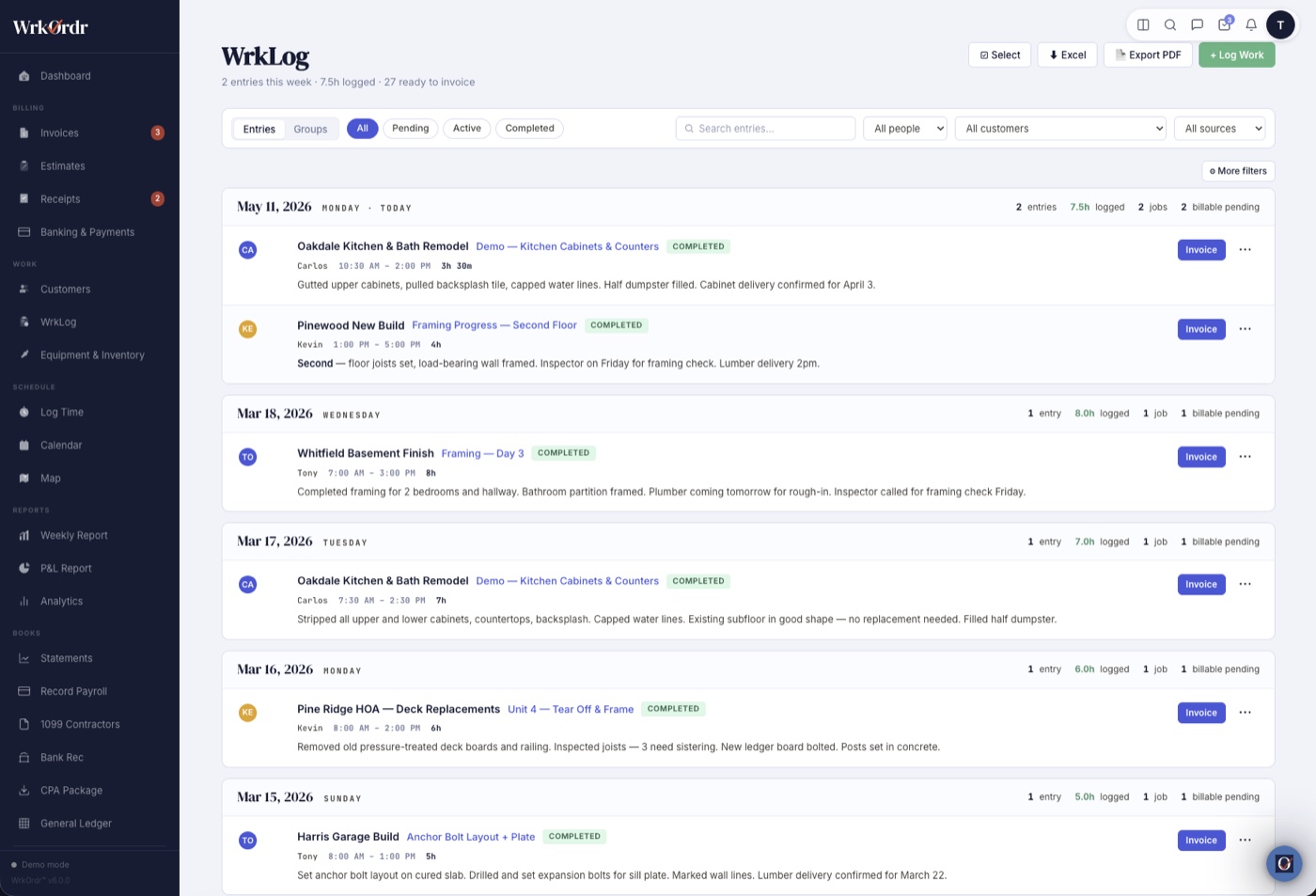
Every hour accounted for, every client billed accurately
Log time from the app or use the quick timer. See weekly totals per team member. Professional layout tracks billable hours by client and rate automatically.
- One-tap timer or manual entry
- Track hours by client, team member, and date
- Billable rate calculation for professional services
- Weekly reports ready to email or print as PDF
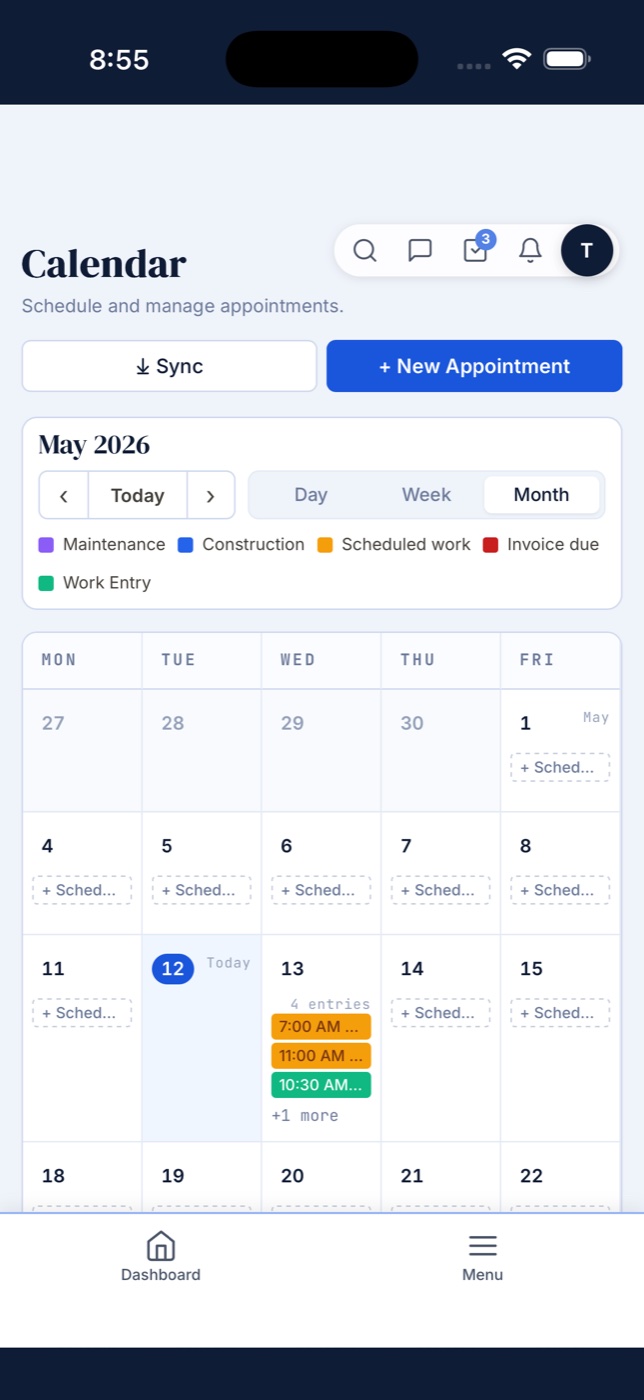
Your whole schedule in one view
Day, Week, and Month views so you see exactly the right level of detail. Scheduled work, invoice due dates, and time entries all in one calendar — synced to Google or Apple Calendar.
- Day, Week, and Month views with color-coded events
- Schedule work directly from any client's page
- Sync to Google Calendar with OAuth — no copy-paste
- Download as .ics for Apple Calendar or Outlook
Your books, your bank, one place
Built-in double-entry accounting that auto-posts from your daily work. No spreadsheets, no separate software, no accountant fees for data entry. When tax season comes, export a CPA-ready package in one click.
- General Ledger with chart of accounts and journal entries
- Invoices, payments, and expenses auto-post to your books
- Bank reconciliation — connect your bank, auto-match transactions
- Financial statements: P&L, balance sheet, trial balance
- 1099 contractor tracking and CPA export package
- Period close so finalized months can't be accidentally changed
- SMS verification protects access to financial data
Customers book directly — no phone tag, no back-and-forth
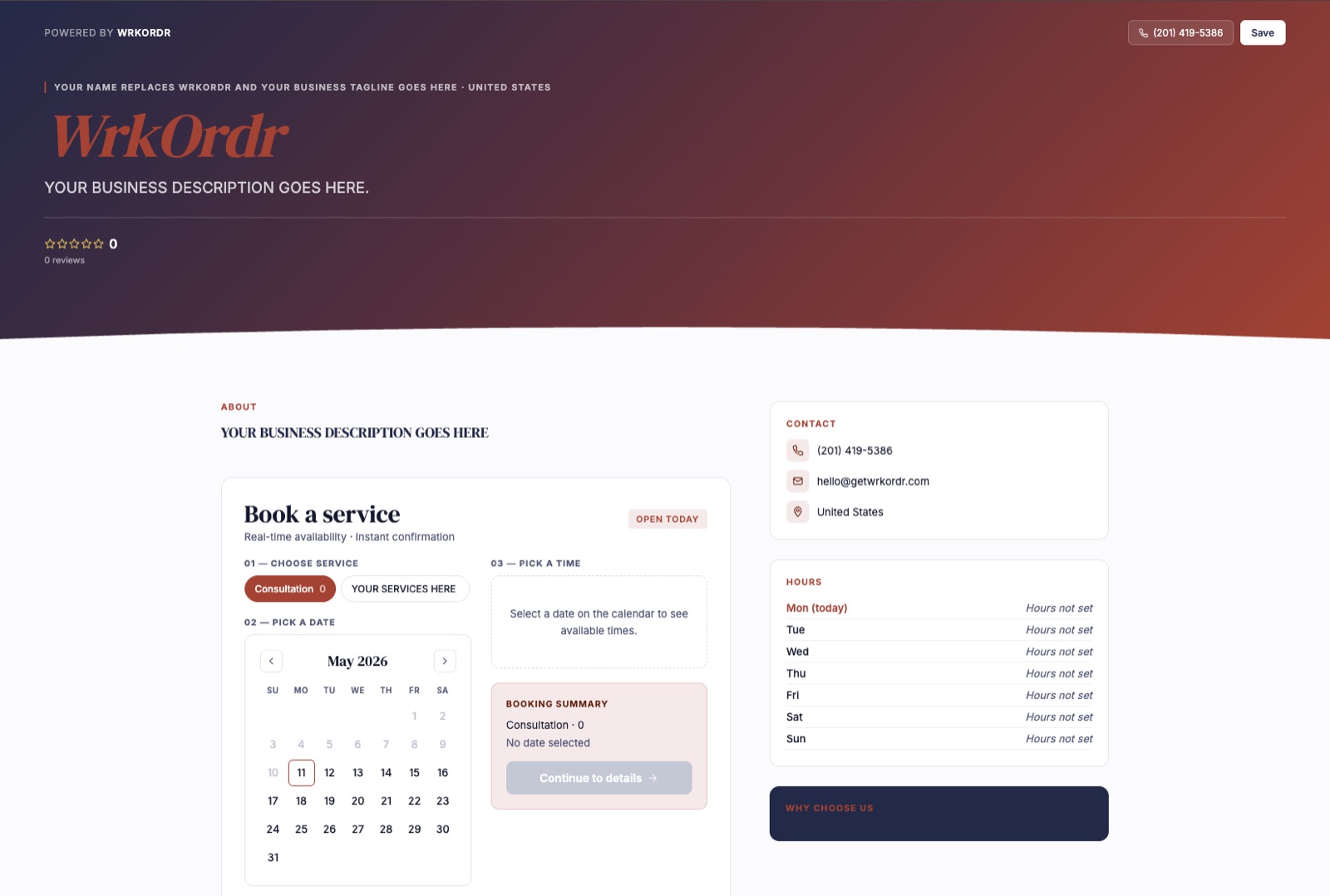
Your public profile doubles as a booking page. Set your availability, create event types with pricing, and let customers pick a time that works. Instant confirmation, automatic calendar sync, email notifications to both sides.
- Event types built from your own service catalog, imported in one tap
- Real-time availability based on your business hours and existing schedule
- Automatic day-before reminder emails cut down on no-shows
- Require a card to book and charge a no-show fee in one tap when someone skips
- Ask your intake questions right on the booking page, answers saved to the client
- Sell gift cards and session packages straight from your profile, paid online
- No monthly fee, no per-booking charge, no third-party tool
Micro-business is the hardest business to run
When you're a one- or two-person operation, every dollar of margin matters. You're not just doing the work — you're also quoting jobs, chasing invoices, tracking materials, managing schedules, and trying to figure out which clients are actually worth your time.
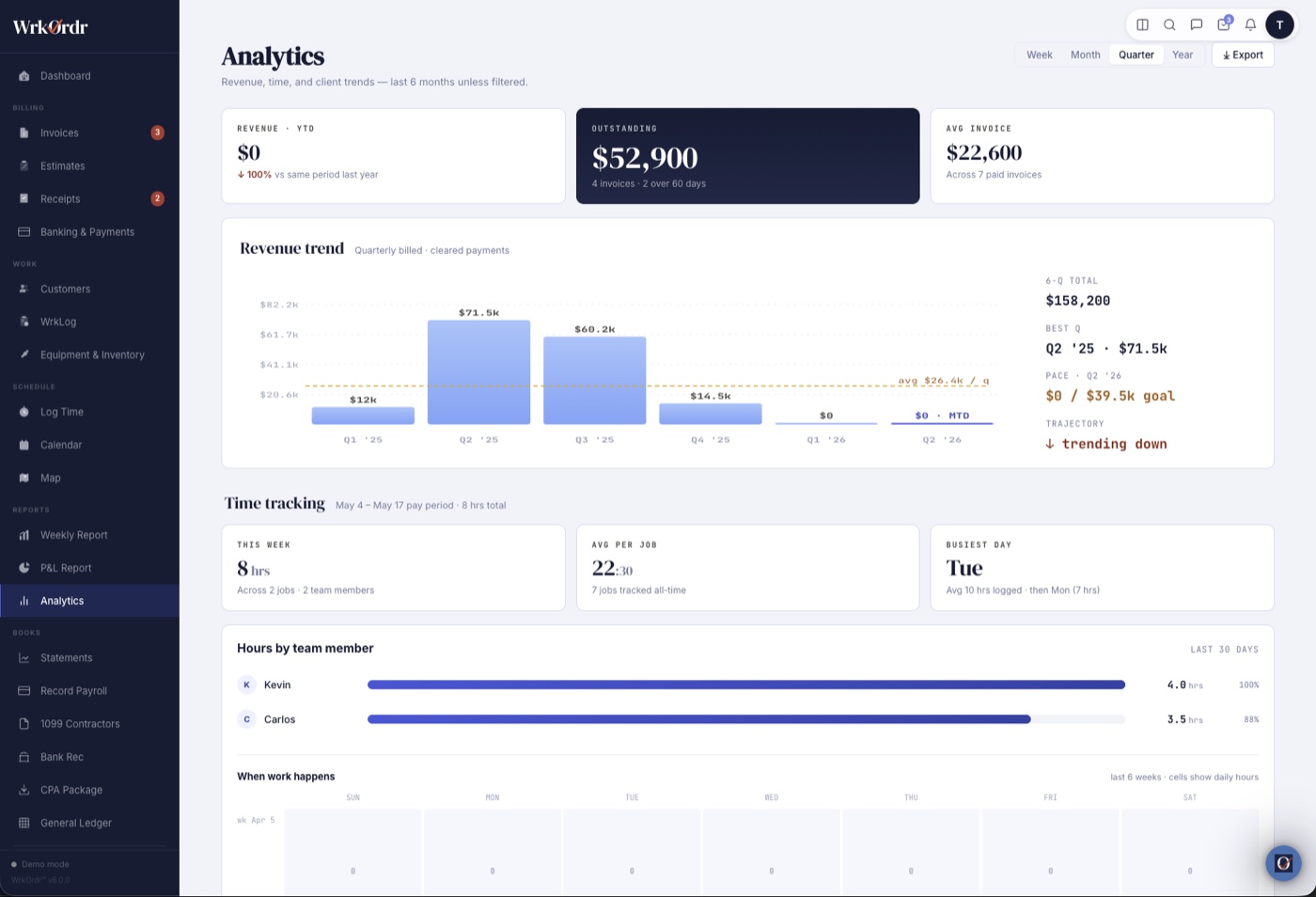
WrkOrdr turns your daily operations into data you can actually use. See which jobs are most profitable, which clients pay fastest, where your hours are going, and what it actually costs to run your business — so you can make better decisions, not just work harder.
WrkOrdr vs. the competition
Most field service tools charge 2-5x more and still lack features WrkOrdr includes on every plan.
| Feature | WrkOrdr | Jobber | Housecall Pro | ServiceTitan | Connecteam |
|---|---|---|---|---|---|
| GPS-Verified Clock In/Out | ✓ | ✓ | ✓ | ✓ | ✓ |
| Job Site Map + Route Planning | ✓ | ✓ | ✓ | ✓ | — |
| Tax Deduction Tracking | ✓ | — | Partial | Partial | — |
| Equipment & Vehicle Tracking | ✓ | — | — | Add-on | — |
| Inventory Management | ✓ | — | — | ✓ | — |
| QuickBooks Sync | ✓ | ✓ | ✓ | ✓ | — |
| Estimates & Quotes | ✓ | ✓ | ✓ | ✓ | — |
| Offline Mode | ✓ | — | — | Partial | ✓ |
| WCAG 2.1 AA / Section 508 | ✓ | — | — | — | — |
| Citizen Portal (Municipal) | ✓ | — | — | — | — |
| 12 Languages | ✓ | — | — | — | ✓ |
| Starting Price | $20/mo | $49/mo | $79/mo | Custom | $35/mo |
Simple, honest pricing
Per-seat pricing that grows with your team. Pay monthly or save 17% by going annual.
INNERCIRCLEEverything you need to start your business from day one. 1 user (just you).
- 1 user (owner)
- Every feature included — no gating
- Invoicing, estimates & proposals
- Stripe payments — accept cards from invoices
- Built-in accounting & bank reconciliation
- AI features — receipt scan, check OCR, smart descriptions
- GPS clock in/out, map & routes
- Equipment & inventory tracking
- Calendar, scheduling & online booking
- Customer activity timeline & contact history
- QuickBooks sync
- Reports, P&L & CSV/XLSX export
- 12 languages, dark mode
- 14-day free trial
INNERCIRCLE3 users included (owner + 2). Need more? Upgrade to Grow.
- 3 users included (owner + 2)
- Everything in Start included
- Need more than 3? Upgrade to Grow
- 14-day free trial
INNERCIRCLE4 users included (owner + 3). Add more at $25/user/mo ($20 with code).
- Every feature included
- 4 users included (owner + 3)
- Add users at $25/user/mo ($20 with INNERCIRCLE)
All plans include a 14-day free trial. No credit card required. Cancel anytime.
Also see WrkOrdr pricing on G2 ↗
Independent. Self-funded. Built by a small business, for small businesses.
WrkOrdr was born from a simple frustration — service professionals being charged $150–$200/month for bloated, enterprise-class software they don't actually need. We're independent and self-funded, built from the ground up by someone who knows what it takes to run a small service business.
Our focus is owner-operators and small teams — not enterprise. WrkOrdr is designed to be the right tool for service professionals who want to stay organized, get paid on time, and spend less time on admin — at a price that respects the work. And we won't raise prices once you're locked in.